
SQLiteracy Is Live: Learn SQL with Real Data, Right in Your Browser
By Ben Jones, Co-Founder and CEO of Data Literacy
"Simple enough that ordinary people could 'walk up and use it' with a minimum of training."
– Donald Chamberlin, co-creator of SQL
Yes! We still think you need to learn SQL to be highly data literate.
I know how that might sound in 2026. You can ask an AI assistant to write a query for you and have one in a few seconds, so why would anyone spend hours learning to write one themselves? I'll get to that question, because I think the answer matters more now than it ever has. But first, a little history.
In 1970, an IBM computer scientist named Edgar F. Codd published a paper that described the relational database, which stores data in tables. It was brilliant, but his notation was built from the symbols of set theory and formal logic, and most people couldn't read it. Two of his IBM colleagues, Donald Chamberlin and Raymond Boyce, set out to fix that. They swapped the arcane symbols for plain English keywords, and in 1974 they published their design for SEQUEL, the Structured English Query Language. A trademark dispute with a British aircraft company later cost it the vowels, and people have been arguing about how to pronounce SQL ever since. (Both camps are right, by the way.)
SQL has been at the very top of the list of tools to learn for data work since the 1970s, and half a century later it's still there. Nearly every organization in the world keeps its most important information in systems that speak it.
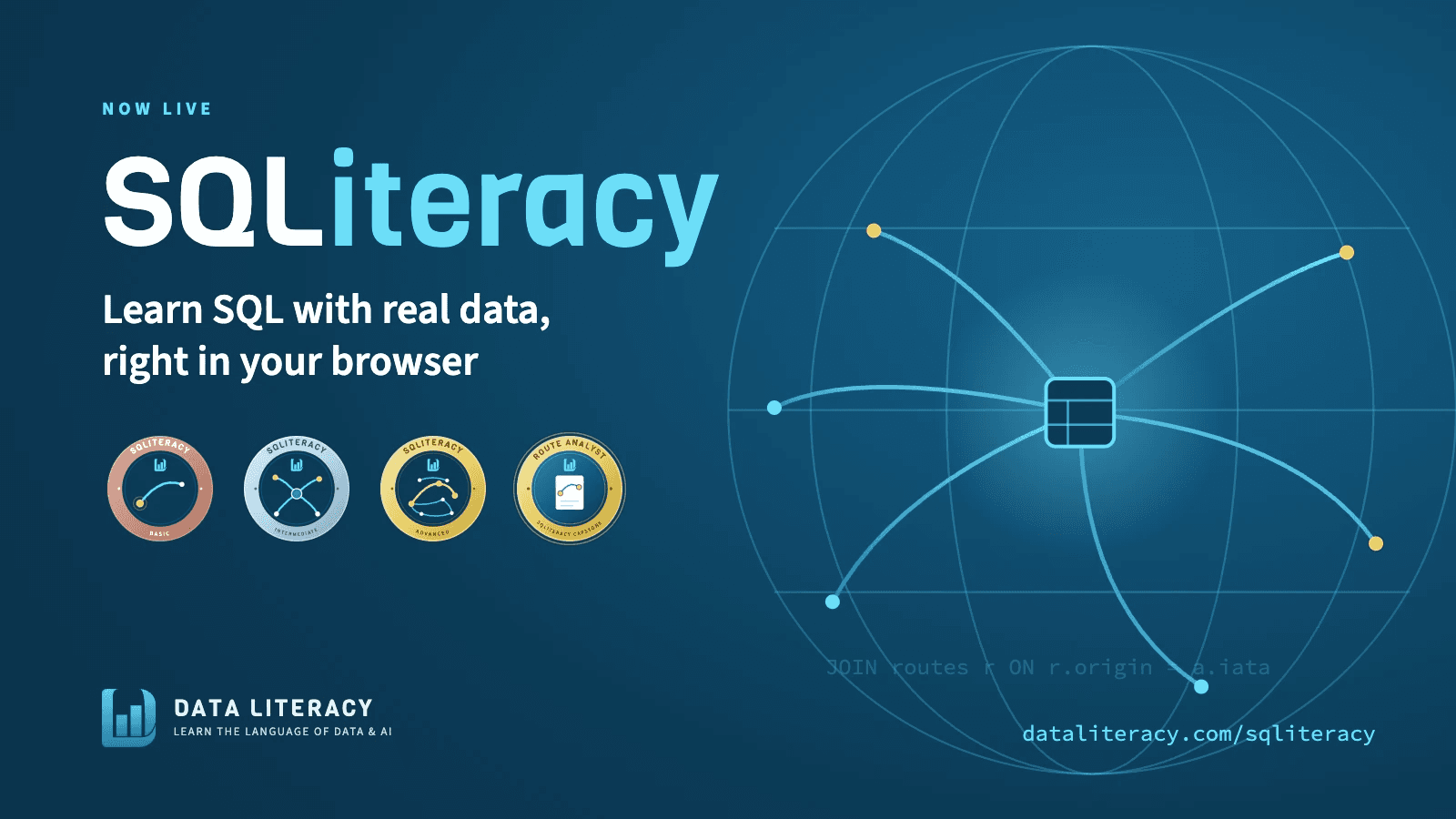
SO... we created a series of three on-demand courses: SQLiteracy Basic, Intermediate, and Advanced. They're live now at dataliteracy.com/sqliteracy, and SQLiteracy Basic is free for anyone who creates an account on our online learning platform.
What makes this series different
There are a lot of SQL courses out there, and I've taken my fair share of them. When we sat down to build ours, we focused on three things that I believe make a real difference for adult learners.
1. Learners write real queries and get real results, right on the lesson page
You have to use SQL to learn it. Reading about it only gets you so far, the same way reading about riding a bike won't keep you upright on one. So every lesson page in SQLiteracy includes a live SQL editor, and the entire database is loaded in your browser. There's nothing to install and nothing to configure. You read about an idea, run the example, change a few things, break it on purpose, and then fix it.
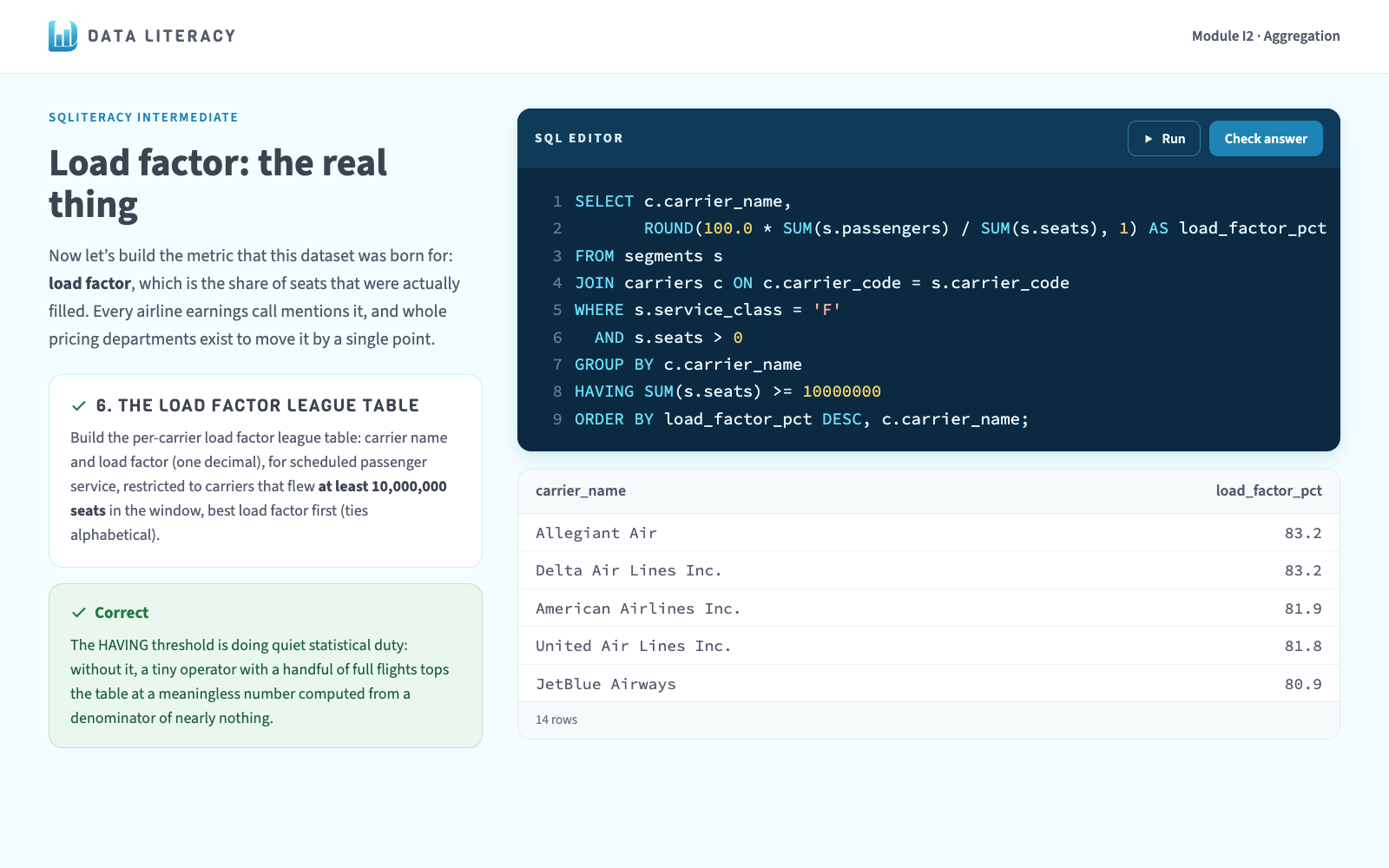
Nothing you do in the editor can damage anything, which makes it one of the safest places in all of technology to be curious. The exercises are graded on your results rather than your exact keystrokes, so any correct query will pass. And if you get stuck, the hints reveal one at a time, so you can get a nudge without getting the whole answer handed to you.
2. The data is real
I'll let you in on a pet peeve of mine. So many SQL courses teach with data about companies that don't exist, selling products that nobody has ever bought. It works, technically, but it's boring, and we don't want to bore our learners.
SQLiteracy uses actual airline traffic data from the U.S. Bureau of Transportation Statistics (BTS): every airline, every route, every month, with departures, seats, passengers, and freight. It's paired with public domain airport data from the OurAirports project, which covers just about every airfield on Earth, from the giant international hubs all the way down to grass strips, heliports, and seaplane bases.
Real data comes with real quirks, and I think that's one of its best features as a teaching tool. Some airports don't have a three-letter code. Some route codes don't match any airport in the table. Some cargo planes fly with zero seats, which will wreck a naive calculation in a hurry. We didn't clean those quirks away. We built lessons around them, because you'll run into the same kinds of messiness in the data at your own organization.
3. The data never goes stale
This one is my favorite. The database updates automatically every month as the government releases new figures, so you're always learning with recent data. Instead of writing queries about flights from last year, or two years ago, you get to ask questions about the routes people are flying this year.
We also made sure a monthly update never pulls the rug out from under you. Every refresh passes a set of validation checks before it goes live, and your session stays on the version of the data you started with, so your answers won't change halfway through an exercise.
What's in each course
SQLiteracy Basic (free) is where you learn to read a table. Across four short modules, you'll learn SELECT, WHERE, ORDER BY, and LIMIT. You'll learn how to read a database schema the way an experienced analyst does on their first day at a new company. And you'll get to know NULL, which has tripped up more than a few analysts over the years (myself included).
SQLiteracy Intermediate is where you start to investigate. The big table of U.S. air traffic shows up, and you'll learn to join it to other tables, summarize it with GROUP BY, handle missing values, write conditional logic with CASE, and use LEFT JOIN to find out what isn't in the data. By the end, you'll have written a query for load factor from scratch. Load factor is the metric that comes up on just about every airline earnings call.
SQLiteracy Advanced builds range and judgment. You'll learn set operations, subqueries and CTEs, and window functions for rankings and month-over-month comparisons. There's also a module on grain, scope, and honest averages, and if I had to pick the most important module in the whole series, that would be the one. It's about how a query can run perfectly and still answer a different question than the one you were asked.
The series ends with a capstone project. A (fictional) VP of Network Planning sends you a short email asking for a one-page brief on Seattle's airport, and it's up to you to turn that vague request into six questions you can answer with SQL and then write up what you find. Finishing it earns you the Route Analyst badge, and it gives you a real piece of work you can walk through in a job interview. Each of the three courses also has its own badge.
What about AI?
It's true that AI can help us write and review the SQL queries we use to process and analyze our data. I use it for that myself, and I encourage our learners to do the same.
But AI can also get it wrong, and when a SQL query goes wrong, it usually doesn't tell you. If you join two tables on the wrong column, you won't see an error message. You'll get rows back, and they'll look perfectly reasonable, but they'll be the wrong rows, and your totals might be double what they should be. An average calculated at the wrong level of detail looks every bit as neat as the right one. The query runs, the dashboard refreshes, and everyone in the meeting nods along.
As with anything we ask AI to do for us, familiarity with the subject and the techniques can protect us from failure, as long as we keep our head in the game. That's what SQLiteracy is for. When an AI assistant hands you a query, I want you to be able to read it, question it, and decide for yourself whether to trust it.
Come give it a try
SQLiteracy Basic is free. Create an account at dataliteracy.com, open the first module, and you can write your first query within a few minutes. When you're ready for more, Intermediate and Advanced are included with Plus at $19 a month or $190 a year, alongside our full course library. Both come with a seven-day money-back guarantee, and you can compare the plans here.
And if you'd rather not create anything at all yet, the SQL Scratchpad is open to everyone with no signup. Same database, same browser engine, no lessons attached. Go poke at it.
Chamberlin and Boyce wanted to build a language that ordinary people could walk up and use. Fifty years later, I think that's still a pretty great goal. Come walk up and use it!
Enjoyed this post?
Get new posts and practical ideas for working with data and AI in your inbox.
Training your team on this?
Live workshops led by Ben Jones and on-demand courses with an AI Coach, for teams of 10 or more.
See team training optionsKeep learning
Explore the full library of data and AI literacy courses, with an AI Coach to guide you.
Browse courses